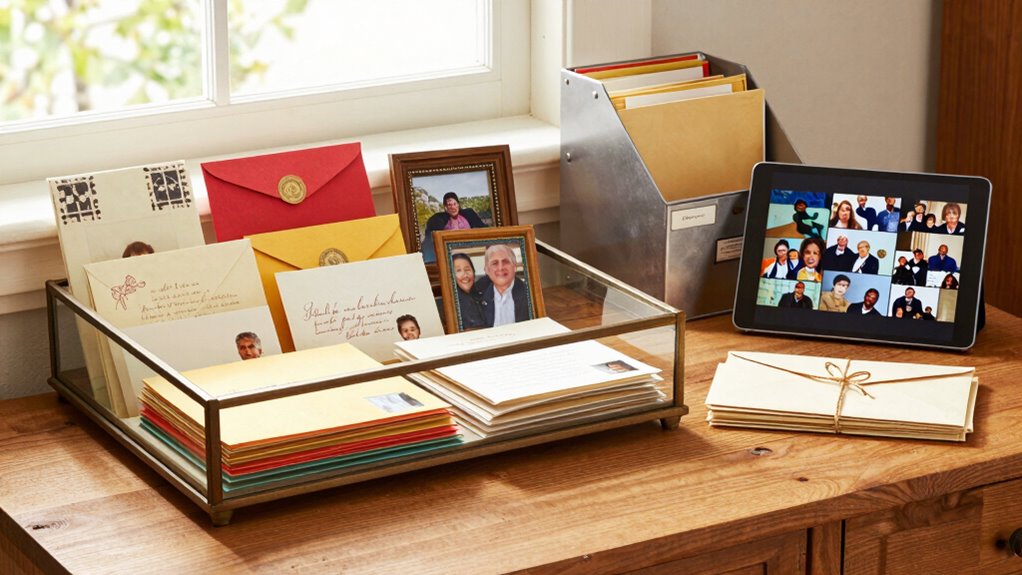

To organize your family letters, cards, and printed photos smartly, start by digitizing everything with high-quality scanners or smartphones. Save files in clearly labeled folders using consistent names, including dates and events. Use cloud storage for backups and easy access. Create digital slideshows or collages to display favorites, and set a schedule for regular updates. Adding stories and captions brings connections to life. Keep exploring how these techniques can help preserve your family’s precious memories more effectively.

Get decor and gifts delivered free with Prime
- Fast, free delivery on millions of items
- Prime Video, Amazon Music and more included
- Member-only deals all year
Key Takeaways
- Digitize items with high-quality scanners or smartphones and save them in clearly labeled, date-specific folders.
- Use consistent naming conventions and tags for easy searchability and organization.
- Store digital files in cloud services for backup, remote access, and long-term preservation.
- Create digital albums, slideshows, or collages to display and enjoy collections regularly.
- Schedule regular maintenance to update, organize, and share family memorabilia with relatives.

Are you overwhelmed by a growing collection of family letters, cards, and printed photos? It’s a common dilemma, but the good news is that you can turn chaos into a well-organized, meaningful archive. Start by implementing digital archiving. Scan your family letters, cards, and photos with a high-quality scanner or even your smartphone, and save them in clearly labeled folders on your computer or an external drive. Digital archiving not only reduces physical clutter but also makes it easier to find specific items later. Use consistent naming conventions, like dates and events, to keep everything searchable. Cloud storage options are also a smart choice, providing backup and access from anywhere. This way, you preserve your family history and guarantee it’s protected against damage or loss over time.
Digitize family keepsakes to reduce clutter and preserve memories for easy access and safekeeping.
Once your collection is digitized, consider creative display methods to enjoy your family history daily. Instead of hiding these treasures in boxes or drawers, transform them into artful displays around your home. For example, create a rotating gallery wall by framing favorite photos and hanging them in a prominent spot. You can also craft a collage of scanned images and printed cards in a large frame, turning a jumble of memories into a striking piece of decor. Digital slideshows are another engaging way to showcase your collection; set up a digital photo frame or a dedicated screen that cycles through images and letters. This not only preserves your family’s stories but also invites conversation and connection with visitors. Incorporating digital organization techniques can further streamline this process and keep your archive manageable. Additionally, exploring photo management software can help you categorize and tag images efficiently, making future retrieval even simpler. Taking advantage of digital tools can also enhance your ability to preserve and organize your family memorabilia more effectively.
To keep things manageable, establish a regular schedule for digitizing and updating your archive. Dedicate a few hours each month to scan new items and organize digital files. As you do this, consider creating a family history website or private online album. Sharing your collection with relatives fosters family bonding and encourages others to contribute their own memories. Additionally, exploring outdoor bar equipment can inspire you to create a dedicated space for sharing stories and photos during family gatherings, making your collection even more interactive and lively. Don’t forget to add descriptive captions, dates, and stories to your scanned items, enriching the context and making your archive more meaningful.
Organizing family memorabilia isn’t just about storage—it’s about celebrating your heritage and making it accessible. By combining digital archiving with creative display methods, you turn a cluttered collection into a cherished, easily navigable legacy. This approach helps you keep your family’s stories alive and invites future generations to connect with their roots.
As an affiliate, we earn on qualifying purchases.
Frequently Asked Questions
How Often Should I Review and Update My Organized Collection?
You should review your organized collection at least once a year to keep everything current. Set a review schedule that aligns with special occasions or seasons, like holidays or birthdays. Use updating tips like adding new items immediately and removing duplicates to maintain organization. Regular check-ins help guarantee your collection stays meaningful and manageable, preventing clutter from building up and keeping your family memories fresh and easily accessible.
What Are the Best Materials to Preserve Old Paper Items?
If you want your treasured papers to stand the test of time, choose materials carefully. The best options are acid-free storage and archival-quality materials, which prevent deterioration and discoloration. These specialized supplies actively protect your family letters, cards, and photos from harmful acids and environmental damage. Don’t settle for anything less—ensure your keepsakes stay pristine for generations by investing in premium preservation supplies today.
How Can I Digitize Fragile or Damaged Photographs Safely?
To digitize fragile or damaged photographs safely, handle them carefully and use gentle photo scanning techniques. Choose a high-resolution scanner designed for delicate items, and consider placing photos on a glass surface with a soft cloth underneath for extra protection. This method guarantees quality photo scanning while preventing further damage. After scanning, store digital copies securely to support your archive preservation efforts, making your precious memories accessible without risking the originals.
What Should I Do With Duplicates or Similar Family Items?
You should start with duplicate sorting to identify similar family items, then decide which to keep based on sentimental value or condition. Use item categorization to organize remaining items into groups like letters, cards, or photos. Consider creating digital copies of duplicates to save space and preserve memories. This approach helps reduce clutter, makes retrieval easier, and guarantees your family’s memorabilia stay well-organized and accessible for years to come.
How to Involve Children in Organizing Family Memorabilia?
You can involve children by making the process fun and engaging with creative sorting techniques, like color-coding or themed categories. Use child-friendly labeling to help them identify different items easily. Encourage their participation by letting them decide on categories or decorate labels, fostering ownership and interest. This hands-on approach teaches organization skills while making cherished family memorabilia a meaningful shared activity.
Conclusion
By organizing your family letters, cards, and printed photos, you’re like a gardener tending to a cherished garden—each item carefully nurtured and preserved. With a little effort, you’ll create a vibrant, accessible collection that blooms with memories for generations to come. Think of it as building a treasure trove where every keepsake is a shining gem, ready to be rediscovered and cherished whenever you need a reminder of the love that binds your family.
Halloween Picks
halloween
As an affiliate, we earn on qualifying purchases.