
To create custom Alexa routines for medication reminders, start by opening the Alexa app and selecting “Routines” from the menu. Set triggers like specific times of day or voice commands, then add actions such as personalized alerts or sounds. Customize notifications, test your routine to guarantee it works well, and make adjustments as needed. Managing multiple medications becomes easier with tailored routines—keep exploring for detailed steps to set up and optimize your system.
Key Takeaways
- Access the Alexa app, navigate to “More” > “Routines,” and create a new routine for medication alerts.
- Set specific triggers such as time, location, or voice command to initiate medication reminders.
- Customize actions including personalized voice messages, sounds, or visual cues to reinforce medication adherence.
- Schedule routines with recurring settings (daily, weekly) aligned with your medication schedule.
- Test and adjust routines regularly to ensure reminders are timely, noticeable, and effective for your needs.
Understanding Alexa Routines and Their Benefits
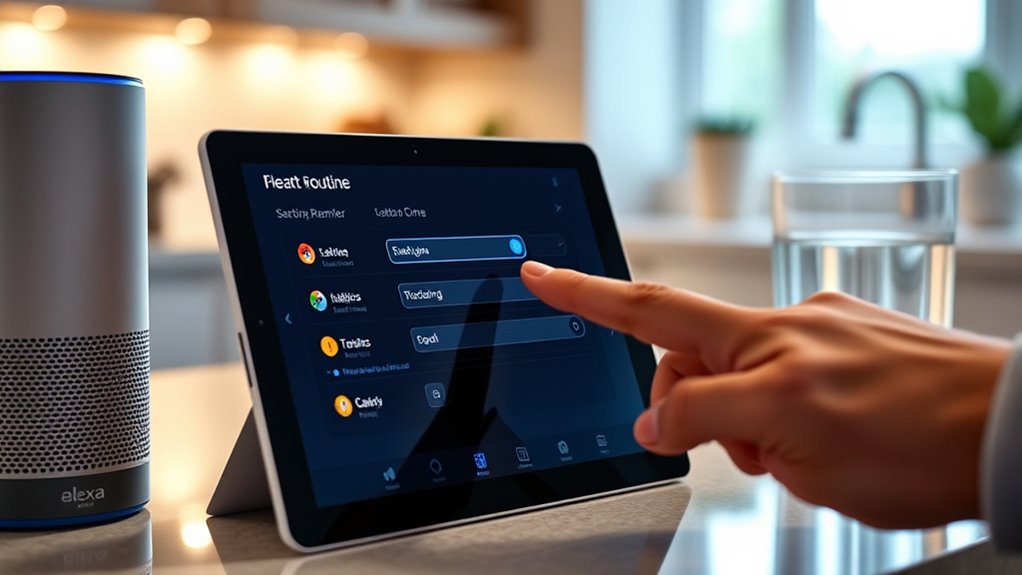
Alexa routines are customizable sequences of commands that automate your daily tasks, making your life more organized and efficient. They help improve medication adherence by setting timely reminders and prompts, ensuring you never miss a dose. With voice command customization, you can tailor your routines to fit your unique needs, creating specific triggers and responses. For example, you can set Alexa to remind you to take medication at certain times, then play a personalized message or alert. These routines save you time and mental effort, reducing the risk of forgetting important tasks. By establishing consistent, automated reminders, you reinforce your medication schedule and stay on track. Incorporating vetted products and methods can further enhance your routine effectiveness and ensure reliable medication management. Overall, Alexa routines empower you to manage your health more effectively through simple, personalized voice commands.
Planning Your Medication Reminder Schedule

To create an effective medication reminder schedule, start by reviewing your prescribed times and doses for each medication. This is essential for proper medication management and ensuring you don’t miss doses. Consider your daily routine and identify the best times to set reminders, such as with meals or specific activities. Routine customization helps you stay consistent and reduces confusion. Be specific about the timing, whether it’s morning, noon, or evening, and note any variations for different days. Keep track of medications with similar names or purposes to avoid mix-ups. Additionally, understanding AI security vulnerabilities can help inform how you set up and monitor your digital reminders to ensure privacy and security. By planning your schedule carefully, you’ll make it easier to stick to your routine and maintain your health. A well-thought-out schedule forms the foundation for effective medication management with Alexa routines.
Setting Up Your Alexa Device for Custom Routines

Before you can create custom medication reminders, you’ll need to set up your Alexa device properly. First, confirm your device is connected to Wi-Fi and updated with the latest software—this keeps voice command customization smooth and reliable. Next, link your Alexa app to your account and enable notifications for routine alerts, so you don’t miss any reminders. Finally, familiarize yourself with routine troubleshooting tips, like resetting or reconfiguring routines if something doesn’t work as expected. Understanding the importance of projector contrast ratios can help you optimize your home setup for better visibility and clarity when viewing your reminders on a larger screen.
Creating a New Routine in the Alexa App

To create a new routine in the Alexa app, you start by accessing the Routine Settings. From there, you can customize the routine details to suit your medication reminder needs. This process allows you to set specific actions, times, and triggers for your routine. Additionally, the security features help ensure your personalized routines are protected from unauthorized access.
Accessing Routine Settings
Wondering how to set up a new medication reminder in the Alexa app? Accessing routine settings is simple and essential for personalized alerts. Once you open the app, follow these steps to customize your routine:
- Tap on “More” and select “Routines” to find your existing routines or create a new one.
- Choose the routine you want to modify or tap “Create Routine” to start fresh.
- Tap “When this happens” to set your trigger, and then “Actions” to add reminders or voice command customizations.
- Incorporating high-pressure airless sprayers into your setup can ensure consistent and reliable reminder alerts by automating voice notifications at scheduled times.
Getting familiar with routine troubleshooting helps ensure your medication alerts stay reliable. Adjusting voice commands makes your routine more intuitive, giving you peace of mind knowing your reminders are tailored to your needs.
Customizing Routine Details
Creating a new routine in the Alexa app allows you to personalize your medication reminders with specific details that suit your schedule. You can customize the routine to improve medication adherence by adding precise voice command customization, making it easier to stay consistent. When setting up, you can specify exact times, days, and even phrases Alexa responds to. Consider the following options:
| Feature | Purpose |
|---|---|
| Voice command customization | Tailor phrases to trigger your medication reminder easily |
| Routine details | Add location, sound, and notification preferences |
| Repeat settings | Ensure reminders recur as needed |
| Action delays | Control when Alexa delivers the reminder |
Additionally, reviewing the risk assessment can help identify potential security vulnerabilities in your setup to safeguard your health information.
Adding Voice Triggers for Medication Reminders

You can tailor your medication reminders with voice triggers that feel natural and easy to remember. By setting personalized commands, you’ll guarantee Alexa responds exactly when you need it. Pay attention to timing and frequency to make your reminders effective without becoming overwhelming. Incorporating linguistic variations into your commands can enhance understanding and responsiveness.
Personalized Voice Commands
How can you make medication reminders more convenient? By customizing voice commands, you create a personal connection that makes routines effortless. First, choose a phrase that feels natural, like “Time for my meds,” to boost your confidence in routine troubleshooting. Second, set up voice command customization so Alexa recognizes your unique phrases, reducing errors and frustration. Third, practice saying your commands regularly; this helps Alexa respond accurately and makes your routine seamless. Personalized voice commands make medication reminders feel more human and less mechanical, ensuring you stay consistent. Plus, if issues arise, routine troubleshooting becomes easier when your commands are clear and familiar. Additionally, understanding automotive repair concepts can help you troubleshoot device issues more effectively. This simple step transforms your medication routine into a more engaging and worry-free experience.
Timing and Frequency
To make certain medication reminders are effective, it’s vital to set specific timing and frequency through voice triggers. This helps improve medication adherence by ensuring you take your medication at the right times. When customizing routines, consider how often you need reminders—daily, weekly, or at specific intervals. Use clear voice commands like “Remind me to take my medication every morning at 8 AM” or “Repeat this reminder every three hours.” Setting precise timing ensures your routine stays consistent, making medication adherence easier and more reliable. Adjusting frequency allows you to tailor reminders to your schedule, preventing missed doses. Proper timing and frequency are key to maintaining effective routine customization and supporting your health goals. Incorporating segmentation of audience in your voice commands can further enhance the relevance and effectiveness of your reminders.
Customizing Notifications and Alerts

Customizing notifications and alerts allows you to tailor medication reminders to fit your preferences and daily routine. With alert customization, you can make reminders more engaging and effective, boosting your medication adherence. Here are three ways to enhance your experience:
- Choose your preferred alert sound to make reminders more noticeable and less intrusive.
- Set personalized messages that resonate emotionally, encouraging you to stay consistent.
- Add visual cues or flashing lights if supported, to reinforce the reminder visually.
- Incorporate indoor air quality awareness into your routine to create a healthier environment, which can also motivate you to maintain your medication schedule.
These options help you feel more in control, making it easier to remember your meds and stick to your routine. When you customize notifications, you create a system that truly works for you, strengthening your commitment to health.
Testing and Adjusting Your Routine

Once you’ve personalized your notifications and alerts, it’s important to test your routine to see how well it fits your daily life. This step helps improve medication adherence by guaranteeing your reminders are timely and effective. Pay attention to whether the alerts occur at the right times and if they’re noticeable enough without being disruptive. Adjust the timing, volume, or wording of your routine as needed to better suit your schedule and preferences. Consistent testing allows you to refine your routine for excellent medication adherence, minimizing missed doses. Remember, routine customization isn’t a one-time setup—regular adjustments ensure your reminders stay relevant and helpful. Taking these steps makes your medication management smoother and more reliable.
Tips for Managing Multiple Medications With Alexa

Managing multiple medications with Alexa can seem challenging, but with some simple strategies, you can keep everything on track. First, use pill organizers to separate doses and avoid confusion. Second, set up customized routines for each medication, so Alexa reminds you at the right times. Third, incorporate medication tracking into your routine to monitor adherence and identify missed doses. These steps help reduce overwhelm and ensure you stay consistent. By integrating pill organizers with Alexa’s reminders, you create a reliable system that supports your health. Staying organized isn’t just easier—it provides peace of mind, knowing you won’t forget any medications. With these tips, managing multiple prescriptions becomes smoother, giving you confidence and control over your medication schedule.
Frequently Asked Questions
Can I Set Medication Reminders for Multiple Users on One Alexa Device?
You can set medication reminders for multiple users on one Alexa device by utilizing user profiles, which help personalize experiences. Each user can have their own reminders and preferences, but you need to manage privacy settings carefully to keep each user’s data separate. By configuring separate profiles, you ensure that medication reminders are tailored and private for everyone, making it easier to stay organized and respectful of individual privacy on a shared device.
How Do I Ensure Reminders Are Discreet and Private?
Think of your reminders as secret messages, meant only for you. To guarantee discreet notifications and private reminders, set personalized voice alerts that only you recognize. Use the Alexa app to customize notifications, and avoid loud sounds or visual alerts that others might see. You can also enable whisper mode or use the “Do Not Disturb” feature during sensitive times. This keeps your medication reminders private and secure, just like a confidential note.
Can I Customize Reminder Sounds or Voice Prompts?
You can customize your reminder sounds or voice prompts on Alexa by exploring the device’s settings. While you can’t directly select custom sound options for reminders, you can personalize voice prompts through routines, choosing different phrases or voices. Use the Alexa app to adjust these settings, ensuring your reminders are tailored to your preferences. This way, your medication alerts feel more discreet and personalized, enhancing your experience.
Is It Possible to Sync Alexa Routines With My Smartphone Calendar?
Think of your Alexa routines as a dance partner, perfectly in sync with your smartphone’s rhythm. Yes, you can achieve this through smartphone synchronization and calendar integration. By linking your calendar app to Alexa, your routines can automatically trigger based on your schedule, making reminders seamless. This setup guarantees your medication alerts and daily tasks stay in harmony with your calendar, keeping you on beat without missing a step.
What Troubleshooting Steps if My Medication Reminders Don’T Trigger?
If your medication reminders don’t trigger, start by checking for medication reminder errors in your Alexa app. Make certain your routine is correctly set up and enabled. Restart your device and update the Alexa app if needed. Confirm that your routine’s trigger time is accurate and that your Alexa device has a stable internet connection. These Alexa troubleshooting steps help resolve common issues and ensure your medication reminders work reliably.
Conclusion
So, you’ve set up your perfect medication reminders with Alexa—hope it’s foolproof. Ironically, while Alexa’s got your back, don’t forget to double-check those meds yourself. Technology’s great until it isn’t, right? Keep an eye on your routines, stay organized, and enjoy the convenience—just don’t rely on Alexa alone. After all, even the smartest routines need a little human oversight to truly keep you on track.