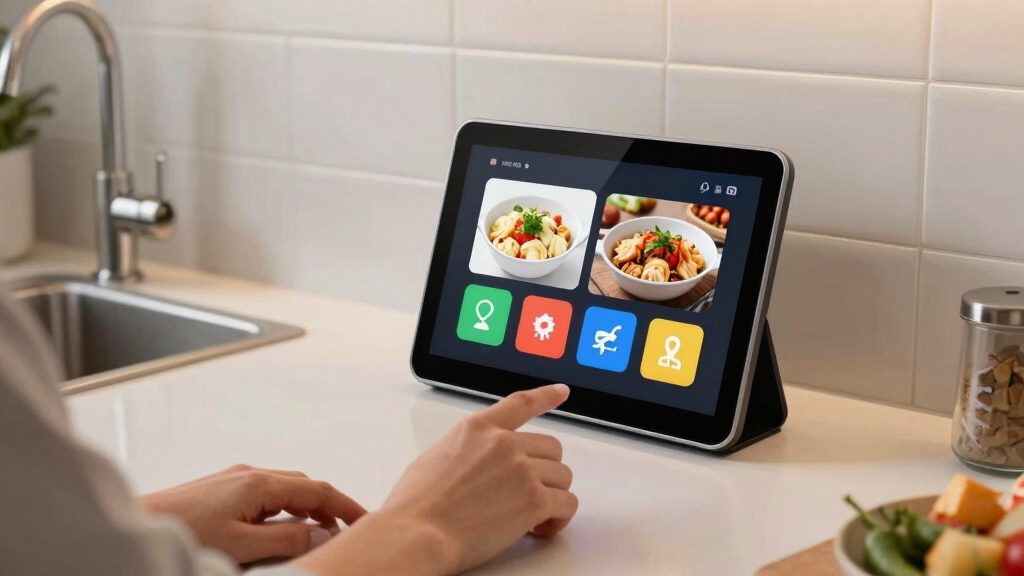

Searching for the best smart displays for your kitchen? The ideal device should blend seamless smart home integration with easy access to recipes, calendars, and entertainment. The Amazon Echo Show 11 stands out as the best overall, thanks to its larger screen and powerful sound. For those prioritizing family organization, dedicated digital calendars like the Apolosign 15.6-inch Digital Calendar excel. Keep reading for a detailed comparison that highlights the key differences and helps you choose the perfect smart display for your kitchen.
Key Takeaways
- Larger screens generally provide better visibility for recipes and video calls, but may take up more counter space.
- Devices with integrated smart home hubs offer more control over connected appliances, influencing overall convenience.
- Built-in calendars and organizational tools are common, but their quality varies; dedicated displays often outperform multifunctional smart screens in this area.
- Sound quality is critical if you plan to use your display for music or voice calls, and higher-end models deliver richer audio.
- Price ranges from budget-friendly to premium, with features like camera quality and display size being key differentiators.




More Details on Our Top Picks
Amazon Echo Show 5 (newest model), Smart display, Designed for Alexa+, 2x the bass and clearer sound, Glacier White
This latest Echo Show 5 excels as a versatile, space-saving smart display, combining a 5.5″ touchscreen with improved audio quality—twice the bass and clearer vocals—making it ideal for smaller spaces like nightstands or counters. Compared with larger models like the Echo Show 11, it sacrifices screen real estate but offers a more discreet footprint that fits seamlessly into tight spots. Its privacy features, like a camera shutter and mic off button, give peace of mind, while its smart home controls and Alexa integration streamline daily tasks. The device’s use of recycled materials and recyclable packaging also appeals to eco-conscious buyers. However, the smaller display limits multitasking and detailed viewing, and the 2 MP camera offers basic quality for video calls. This pick makes the most sense for users seeking a compact, audio-enhanced smart device for quick info, music, or home monitoring without sacrificing privacy.
Pros:- Compact size fits easily in small spaces
- Enhanced bass and clearer sound from upgraded speaker
- Built-in privacy controls including camera shutter
Cons:- Limited screen size restricts multitasking and detailed visuals
- Only 2 MP camera quality may be basic for video calls
Best for: Small-space users who want a discreet, sound-rich smart display for quick interactions and home monitoring
Not ideal for: Those needing a large screen for multitasking or media viewing in a kitchen or busy environment
- Display Size:5.5 inches
- Audio:Deeper bass, clearer vocals
- Camera:2 MP with shutter
- Dimensions:5.8″W x 3.6″D x 3.2″H
- Weight:16.1 oz
- Connectivity:WiFi 802.11a/b/g/n/ac, Bluetooth
- Materials:Recycled polyester fabric, recycled aluminum
- Privacy Features:Mic off, camera shutter, end-to-end encryption
- Voice Assistant:Alexa+
Bottom line: Ideal for users seeking a compact, privacy-conscious smart display with improved sound for quick tasks and monitoring in tight spots.
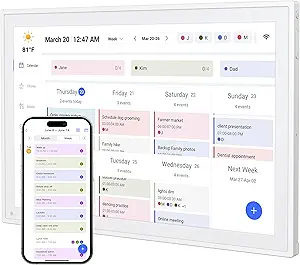
Digital Calendar 10.1” Electronic Calendar for Family Schedules, WiFi Smart Calendar Built-in 32GB Memory, 1280 * 800 IPS HD Touchscreen Interactive Family Planner & Meal Planner-White
This 10.1-inch smart digital calendar combines a vibrant HD touchscreen with family-friendly features like chore charts, shared calendars, and photo display. Unlike the Echo Show 5, which focuses on voice and quick info, this device prioritizes visual scheduling, making it perfect for busy households needing clear, immediate views of everyone’s plans. Its integrated chore system and reward points help motivate kids, while the ability to sync with Google, Cozi, Outlook, and Yahoo calendars ensures everyone stays updated. The digital photo frame mode adds a personal touch, making it both functional and decorative. Setup is straightforward, and the app allows remote management, ideal for tech-savvy families. However, its larger size demands more space, and the system’s complexity might overwhelm users seeking simplicity. This product is best for families wanting a dedicated, visual hub for organizing routines, schedules, and memories in one device.
Pros:- Large, vibrant HD touchscreen for clear scheduling
- Built-in chore chart with reward system to motivate kids
- Seamless calendar sync with major apps
Cons:- Larger footprint requires more space
- Complex interface may be overwhelming for less tech-savvy users
Best for: Tech-savvy families needing a detailed, visual, and motivational home organizer
Not ideal for: Small households or users preferring a simpler, voice-centric device with less screen real estate
- Display Size:10.1 inches
- Resolution:1280 x 800 IPS
- Memory:32GB
- Connectivity:WiFi, Google Calendar, Outlook, Cozi, Yahoo
- Features:Chore chart, reward system, photo frame
- Setup:WiFi connection, app sync
- Design:Wall-mountable or desk stand
- Material:Plastic
- Size:6.93″W x 10.2″H
Bottom line: Best suited for families seeking a comprehensive visual scheduling device with motivational features and photo display.
Apolosign 15.6-inch Digital Calendar : Dual Mode Smart Wall Planner, No Subscription, Install Apps, Sync Calendars, Electronic Touchscreen Interactive Display for Family Schedules, Chore Chart – with Stand (Teak)
The Apolosign 15.6-inch digital wall calendar offers a sizable, interactive touchscreen with dual functionality—switching between calendar management and a customizable Android dashboard. Compared to smaller displays like the Echo Show 5, it provides a more extensive view and supports app downloads from Google Play, enabling expanded features like weather, reminders, and smart home controls. Its dual-mode operation makes it versatile for managing schedules and creating a personalized home dashboard. The built-in reward-based chore chart fosters responsibility in kids, and the large screen makes it suitable for communal spaces. Setup involves WiFi connection and app syncing, and its aesthetic faux wood finish blends with home decor. The main tradeoff is its larger size, which demands wall space and may be more complex for users seeking straightforward solutions. This product fits users who want a large, customizable, and multifunctional family hub.
Pros:- Large 15.6-inch touchscreen with vivid display
- Dual-mode: calendar and Android dashboard for customization
- Supports app downloads for added functions
Cons:- Requires wall space and more installation effort
- More complex setup process for non-technical users
Best for: Families wanting a large, customizable, and multifunctional wall hub with smart features
Not ideal for: Small rooms or users preferring simple, voice-controlled devices with minimal setup
- Display Size:15.6 inches
- Resolution:Full HD
- Modes:Calendar & Android Dashboard
- Material:Faux wood finish
- Connectivity:WiFi, Google Play apps
- Size:9.91″W x 15.83″H
- Features:Chore chart, customizable dashboard
- Setup:WiFi, app sync
- Mounting:Wall mount
Bottom line: Ideal for households seeking a large, adaptable, and app-enhanced family central display with dual functions.
10.1’’ Smart Digital Calendar – Interactive Touch Screen, HD Display, Wall Mountable Family Organizer with Chore Chart, To-Do Lists & App Sync for Home & Office, Warm Mothers’s Day Gift, Gift for Her
This 10.1-inch smart digital calendar combines a sleek, modern design with versatile functions, including a touch-enabled HD display, family organizer features, and app synchronization. Unlike the Echo Show 5, which emphasizes voice and sound, this device excels in visual organization, making it suitable for home or office desktops and walls. Its multi-mode capability allows switching between calendar, photo frame, and art display modes, adding decorative value. It supports syncing with major calendar apps and can be managed remotely via apps or bulk photo uploads, making it flexible for different household needs. The device’s stylish appearance and multi-user support make it a thoughtful gift for busy professionals or families. Its main limitations include a smaller screen for multitasking and a lack of voice control, which might be a drawback for users who prioritize hands-free operation. Overall, this is a well-rounded, attractive organizational hub for those who prefer visual management and aesthetic appeal.
Pros:- Stylish, modern design suitable for wall or desk
- Multi-mode: calendar, photo, and art display
- Supports multiple calendar app integrations
Cons:- Smaller screen limits multitasking and detailed views
- No voice control feature for hands-free operation
Best for: Professionals and families seeking a stylish, multi-mode visual organizer with app sync capabilities
Not ideal for: Those prioritizing voice control or requiring large multitasking screens in a kitchen or high-traffic area
- Display Size:10.1 inches
- Resolution:HD
- Modes:Calendar, Photo, Art
- Sync:Google, Outlook, iCloud, Yahoo
- Connectivity:WiFi
- Material:Plastic
- Mounting:Wall or desk
- Size:7.2″W x 10.3″H
Bottom line: Great for users who want a stylish, multi-purpose visual organizer with app sync and decorative features.
This 10.1-inch WiFi family planner provides a comprehensive hub combining calendar, chore chart, and video calling—making it an excellent choice for busy households. Its large, touch-enabled HD display supports multiple calendar views, and the integrated video call feature allows direct communication with family members, unlike the Echo Show 5’s basic camera. The device supports app syncing with Google, iCloud, Outlook, Cozi, and Yahoo, facilitating seamless schedule management. The built-in digital photo frame mode adds a personal touch, ideal for displaying family memories. Setup is simple—plug in, connect WiFi, and sync—perfect for less tech-savvy users. Its main tradeoffs include a larger footprint, which demands wall or desk space, and the absence of voice control, which may limit hands-free convenience for some users. This product suits those seeking a multifunctional, visually engaging, and communication-ready family organizer.
Pros:- Large HD touch screen with multiple views
- Built-in video calling for easy family communication
- Supports popular calendar apps and cloud photo sharing
Cons:- Requires wall or desk space due to size
- No voice assistant for hands-free control
Best for: Families wanting a combined scheduling, communication, and photo display device with versatile app support
Not ideal for: Individuals preferring voice-controlled devices or those with limited wall/desk space
- Display Size:10.1 inches
- Resolution:Full HD
- Features:Video call, chore chart, calendar sync
- Memory:4GB RAM, 64GB storage
- Connectivity:WiFi, app support
- Mounting:Wall or desk
- Size:10.1″ W x 10.1″ H
- Material:Plastic
Bottom line: Perfect for families needing a multifunctional hub for scheduling, communication, and memories without subscription costs.
Amazon Echo Show 11 (newest model), Vibrant Full-HD 11″ display with more viewing area and spatial audio, Designed for Alexa+, Graphite
The Echo Show 11 stands out for its expansive 11-inch Full-HD touchscreen, offering a much larger viewing area than the Echo Show 8, which makes managing recipes, video calls, and smart home controls more comfortable. Its powerful AZ3 Pro chip ensures smooth multitasking, and the built-in Zigbee and Thread hub simplifies smart device integration without extra hubs. Compared to smaller displays like the Echo Show 5, this model transforms the kitchen into a central command station, especially with Omnisense technology that personalizes routines based on presence and temperature. The sound quality is notably richer, with wider soundstage and up to twice the bass of the Echo Show 8, making it ideal for media consumption. However, the larger size may be a drawback in compact kitchens, and the premium price reflects its advanced features. This pick makes the most sense for homeowners seeking a versatile, high-performance kitchen hub capable of multitasking and immersive media.
Pros:- Large, vibrant 11-inch Full-HD touchscreen for better readability and multitasking
- Powerful AZ3 Pro chip provides smooth performance
- Built-in Zigbee, Matter, and Thread hub simplifies smart home integration
- Superior spatial audio with wider sound stage and up to 2x bass
Cons:- Size may be too bulky for small or cluttered kitchens
- Higher price point compared to smaller or less feature-rich models
- Requires more counter space and can be more conspicuous
Best for: Families who want a large, smart display that can handle multiple tasks, including cooking, video calls, and smart home management, with high-quality audio.
Not ideal for: Small kitchens or spaces where countertop real estate is limited, as its size could be intrusive, and users who prefer a more budget-friendly, basic smart display.
- Display Size:10.95 inches
- Resolution:1920 x 1200
- Camera:13 MP auto-framing
- Audio:Spatial audio, 2 full-range drivers, 1 woofer
- Wireless:Wi-Fi 6E, Tri-band
- Dimensions:10” x 5” x 7.2”
Bottom line: Ideal for tech-savvy homeowners seeking a large, high-performance smart display that enhances cooking, entertainment, and smart home control in spacious kitchens.
WiFi Digital Calendar Smart Family Planner,Chore Charts, Achievement Rewards, AI Meal Planning, Smart Touchscreen Interactive Display for Schedules and Cloud Photo Desk Bases, Gifts for Women Men, Gifts for Mom Dad, 10.1” Black
This 10.1-inch smart calendar combines family scheduling, chore management, and meal planning in one compact device, making it perfect for busy households. Its ability to sync with multiple family members’ apps in real time, similar to the larger Apolosign 15.6-inch model, ensures everyone stays coordinated, but at a more affordable price. The device doubles as a digital photo frame, displaying family memories when not in use, adding a personal touch to the kitchen or living space. The built-in chore reward system motivates kids with customizable tasks and stars, fostering responsibility. While its smaller size limits some advanced features, it’s a practical, all-in-one hub for daily routines and family organization. The interface is user-friendly, and setup is straightforward, but it lacks the media and voice assistant capabilities of premium models like the Echo Show 11. This makes it an excellent choice for families seeking an affordable, multifunctional organizer.
Pros:- Compact and portable 10.1-inch HD touchscreen fits well in various spaces
- Syncs seamlessly with multiple family devices and apps in real time
- Combines calendar, chore chart, meal planner, and photo display in one
- Motivates kids with customizable chores and achievement stars
Cons:- Limited media playback and voice assistant capabilities compared to Echo Show models
- Smaller screen may reduce ease of viewing for detailed tasks
- Less suitable for extensive smart home control
Best for: Parents and families wanting a budget-friendly, interactive device to organize schedules, chores, and photos without sacrificing ease of use.
Not ideal for: Homeowners looking for a dedicated smart home hub or media device, as it focuses mainly on scheduling and family management rather than entertainment or voice assistant features.
- Screen Size:10.1 inches
- Resolution:1280 x 800 IPS
- Connectivity:Wi-Fi
- Memory:Built-in 32GB
- Dimensions:10.1″ x 10.1″
- Features:Family scheduling, chores, meal planning, photo display
Bottom line: A cost-effective, versatile family organizer that excels in scheduling, chores, and memories for busy households on a budget.
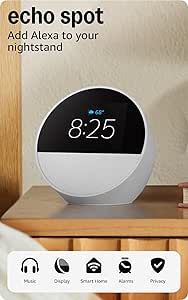
Amazon Echo Spot (newest model), Great for nightstands, offices and kitchens, Smart alarm clock, Designed for Alexa+, Glacier White
The Echo Spot offers a compact 2.83-inch screen, making it ideal for nightstands, small kitchens, or offices where space is limited. Its bright display shows time, weather, and song info at a glance, and it can control smart home devices via Alexa, similar to larger screens but in a more subtle form factor. The built-in camera and microphone enable video calls and voice commands, although it lacks the larger screen’s immersive experience. The audio is clear with decent bass, but not as rich as the Echo Show 11, making it better suited for quick updates or music control rather than media consumption. Privacy features like microphone off and camera disable add peace of mind. This device excels in convenience in tight spaces, but its small display limits its utility for detailed tasks or visual recipes. It’s perfect for those who want Alexa’s capabilities in a tiny footprint, especially on a nightstand or small countertop.
Pros:- Very compact size fits easily on nightstands, desks, or small counters
- Bright, clear display for time, weather, and notifications
- Built-in camera enables video calls and visual ID
- Privacy controls including microphone off and camera disable
Cons:- Limited screen real estate reduces usefulness for detailed visuals or recipes
- Audio quality is decent but not as powerful as larger models
- No support for smart home hub or extensive automation features
Best for: Individuals needing a small, stylish smart display for quick info, alarms, and voice control in limited spaces like bedrooms or offices.
Not ideal for: Users seeking a media-rich experience or extensive smart home hub capabilities, as its small screen and limited features restrict broader use cases.
- Display Size:2.83 inches
- Resolution:240 x 320
- Camera:None
- Speaker:1.73 inch
- Connectivity:Wi-Fi, Bluetooth
- Dimensions:4.5″ x 4.1″ x 4.4″
Bottom line: A perfect small-scale smart display for quick updates, alarms, and voice control in tight spaces, but not for media-heavy or detailed visual tasks.
BIGASUO 10.1″ Digital Calendar, Smart Touchscreen Interactive Display, Electronic Organizer for Monthly, Weekly & Daily Agenda, Chore Chart, Meal Planner, To Do List, Family Schedules, Picture Frame
The BIGASUO 10.1-inch digital calendar combines a family planner, chore chart, meal scheduler, and photo frame into one sleek device, making it highly versatile. Its touch interface simplifies adding and managing events, and its compatibility with Google Calendar, Outlook, and others ensures seamless synchronization across devices. Unlike larger models like the Apolosign 15.6-inch, this size is more suitable for tight spaces or desks. Its built-in features such as weekly meal plans, customizable chore rewards, and photo slideshows make it a practical choice for busy families. Setup is quick, and the device’s compact size allows placement on counters or desks, but it may lack some advanced smart home integration or voice assistant capabilities. It’s perfect for those who want a straightforward, all-in-one family hub that’s easy to use and fits in smaller spaces.
Pros:- Touchscreen interface simplifies managing schedules and chores
- Syncs effortlessly with Google, Outlook, and other calendars
- Combines calendar, chore chart, meal planning, and photo display
- Compact size fits well on desks or counters
Cons:- Limited smart home control features compared to Echo Show 11
- No voice assistant or speaker for media playback
- Lacks advanced automation or smart device hub capabilities
Best for: Families seeking an easy-to-use, all-in-one digital organizer with scheduling, chores, and photo display in a compact form.
Not ideal for: Homeowners looking for a dedicated smart home control or media device, as its focus is on scheduling and visual family memories.
- Screen Size:10.1 inches
- Resolution:1280 x 800
- Connectivity:Wi-Fi
- Features:Calendar, chores, meal planner, photo display
- Dimensions:10.1″ x 10.1″
Bottom line: A versatile, easy-to-use family organizer ideal for small spaces that combines scheduling, chores, and memories in one device.
COMIX 10.1″ Smart Digital Calendar for Desk, WiFi Cloud Sync Family Shared Planner with Touchscreen, Electronic Tabletop Schedule Display for Home Office, Kitchen & Nightstand
This digital calendar stands out for its ability to seamlessly merge Google, Outlook, and iCloud calendars into a single high-definition display, making it ideal for busy families who need a centralized schedule. Compared with the Digital Calendar 10.1” Electronic Calendar, it offers a more tactile touchscreen experience and dedicated sections for meal planning and weather, which help reduce mental clutter. However, it sacrifices some customization options and may require wall mounting, which could be a drawback for those seeking a portable or versatile display. This pick is perfect for households that want a visual, easy-to-read schedule that also doubles as a photo frame or nightstand clock.
Pros:- Effortless integration of multiple calendar platforms in one HD display
- Visual-first interface reduces anxiety and enhances focus
- Versatile modes including photo frame and sleep mode
Cons:- Requires wall mounting or dedicated space, limiting flexibility
- Limited app ecosystem beyond calendar and photo functions
Best for: Families and seniors needing a clear, visual schedule with reminders and multimedia modes
Not ideal for: Individuals seeking a highly portable device or a device with extensive app integrations beyond calendar functions
- Display Size:10.1 inches
- Connectivity:WiFi
- Platform Sync:Google, Outlook, iCloud
- Modes:Calendar, Photo Frame, Sleep
- Mounting:Wall-mounted or optional stand
- Resolution:HD
Bottom line: This device is best suited for families or seniors who want a dedicated, visual planning hub in their home.
BlueSnail Kitchen Timer with LED Digital Display Smart Efficana for Home Classroom Gym Office, Volume and Brightness Adjustable Productivity Timer (Guncolor)
This timer is a practical addition to any kitchen or workspace, thanks to its large, clear LED display that can be viewed from various angles and distances. Compared with the Digital Calendar 10.1” Electronic Calendar, it excels in simplicity and immediate usability, making it ideal for quick, precise countdowns during cooking, workouts, or work sessions. Its magnet back allows for versatile placement on metal surfaces, and adjustable volume and brightness enhance its usability across different environments. However, it lacks the interactive features or calendar integration of more advanced displays, so it’s less suited as a comprehensive scheduling tool. It’s a smart choice for those who prioritize straightforward, reliable timing with minimal fuss.
Pros:- Large, easy-to-read LED digital display
- Magnetic back for flexible placement on metal surfaces
- Adjustable volume and brightness for different environments
Cons:- Limited to timing functions, no calendar or reminder capabilities
- No app or cloud sync features for multi-device updates
Best for: Home cooks, students, and fitness enthusiasts who need a straightforward, reliable timer
Not ideal for: Users looking for a multifunctional smart display with calendar or multimedia features
- Display Size:3 inches
- Display Type:LED digital
- Connectivity:None
- Adjustments:Volume, Brightness
- Mounting:Magnetic back
- Range:00:00 to 99:55
Bottom line: This timer is perfect for anyone who needs a simple, highly visible countdown clock without additional distractions.
This 10.1-inch full HD IPS touchscreen excels in multi-device synchronization, supporting up to 20 family members with color-coded schedules. Compared to the COMIX Calendar, it offers more flexible placement options with an adjustable stand and supports real-time updates across smartphones, tablets, and computers, making it highly effective for busy households. Its automatic WiFi setup and instant sync eliminate complicated configuration, which is a significant advantage. On the downside, its focus on family scheduling means it may lack the aesthetic appeal or multimedia features some users want for a more decorative or entertainment-oriented display. This device makes the most sense for families who want a shared, constantly updated calendar that everyone can access from anywhere.
Pros:- Supports up to 20 family members with individual schedules
- Seamless multi-device sync with instant updates
- Auto WiFi setup with minimal configuration
Cons:- Less suited for aesthetic or decorative purposes
- Limited to scheduling, no photo or multimedia modes
Best for: Large households or co-living spaces that need shared calendars and instant communication
Not ideal for: Single users or individuals seeking a stylish display with extensive multimedia or photo features
- Display Size:10.1 inches
- Resolution:Full HD IPS
- Connectivity:WiFi
- Sync Capabilities:Google, iCloud, Outlook
- Family Members:Up to 20
- Placement:Desk, Counter, or Stand
Bottom line: This display is ideal for families wanting a shared, easily accessible calendar with real-time updates from all devices.
How We Picked
This lineup was curated based on a combination of performance, usability, build quality, and feature set. Priority was given to devices that integrate well into kitchen environments, offering clear displays, reliable connectivity, and intuitive interfaces. We compared overall value—balancing price against features—and assessed how well each product suits different user needs, from casual use to advanced smart home control. The ranking reflects a mix of versatility, durability, and user experience, ensuring options for various budgets and preferences.Factors to Consider When Choosing Best Smart Displays For Kitchen
Choosing the best smart display for your kitchen involves understanding key factors that influence usability and value. Beyond basic features, consider how the device fits into your existing smart home setup, the size of the display, and its core functions like media playback, organization, or video calling. Making informed decisions requires evaluating these aspects carefully, especially given the tradeoffs between price, size, and performance.Display Size and Resolution
Display size directly impacts how easily you can view recipes or video calls at a glance. Larger screens, typically 10 inches or more, are more comfortable for multitasking and browsing, but they also take up more space. Resolution matters too; higher resolutions ensure sharper images, which is especially useful when following detailed recipes or viewing family photos. Balance your available space with your need for clarity to avoid a device that’s either too big or too small for your kitchen setup.
Sound Quality and Voice Recognition
Clear audio is essential if you want to use your smart display for music, podcasts, or voice commands. Devices with larger speakers and better sound processing deliver richer, more immersive audio experiences. Voice recognition accuracy also varies; devices designed for better microphone quality can pick up commands even with background noise, which is common in kitchens. Prioritize these features if voice control and media are your main use cases.
Smart Home Integration and Connectivity
Most smart displays function as hubs for connected devices, so compatibility with your existing smart home ecosystem is a major factor. Devices supporting Alexa, Google Assistant, or both offer broader control options. Consider whether the display can connect to your smart lights, thermostats, or security cameras easily. Devices with built-in hubs often provide smoother integration, but they may come at a higher price point.
Organizational and Additional Features
Many smart displays incorporate calendars, timers, reminders, and even recipe databases. Dedicated digital calendars tend to provide more reliable and detailed scheduling features, making them ideal for busy families. However, multifunctional smart screens often allow customization and app integration, which can add to their versatility. Decide whether your priority is simple organization or a multi-purpose device that combines entertainment, control, and information.
Price and Long-Term Value
Budget options can provide essential smart features without breaking the bank, but they may lack some robustness or advanced functionalities. Premium models, while more expensive, often offer better build quality, larger displays, and richer sound. Consider how often you’ll use the device, and whether extra features justify the higher cost. Investing in a higher-quality display can pay off through durability and a more satisfying user experience over time.
Frequently Asked Questions
Can these smart displays replace my kitchen TV?
While many smart displays have sizable screens suitable for recipes and video calls, they generally lack the full functionality of a dedicated TV. They’re perfect for quick viewing, streaming music, or following recipes but may not support all streaming apps or offer the same picture quality. For casual viewing or smart home control, they can serve as a convenient supplement, but a dedicated TV remains ideal for more immersive entertainment.
Are these smart displays easy to set up and use?
Most smart displays are designed with user-friendliness in mind, featuring straightforward setup processes via mobile apps or voice commands. Devices like the Amazon Echo Show models typically guide you through initial setup smoothly. However, some of the more advanced displays, especially those with extensive calendar or organizational features, may require more configuration. Overall, they are accessible for most users with basic tech skills.
Will these displays work effectively in a noisy kitchen?
Devices with larger, high-quality speakers and noise-canceling microphones are better suited for noisy environments. The Amazon Echo Show 11, for example, offers spatial audio that improves clarity when background noise is present. When choosing a device, prioritize those with strong microphones and clear audio output if your kitchen tends to be loud or if voice commands are a key feature for you.
Do all these smart displays support video calling?
Most modern smart displays support video calling, often through integrated apps like Zoom, Skype, or native assistant features. However, the quality and ease of use can vary. Devices like the Echo Show 11 and Echo Spot excel in this area, offering reliable cameras and simple interfaces. Be sure to check compatibility with your preferred video calling services before making a choice.
Should I prioritize a dedicated digital calendar or a multifunctional smart display?
If your main focus is family organization and scheduling, a dedicated digital calendar like the Apolosign or BIGASUO models offers more precise features and reliability. On the other hand, multifunctional smart displays provide a broader range of features—like recipes, entertainment, and smart home control—but may compromise slightly on calendar depth. Your decision should hinge on whether organization or overall versatility is more important to your daily routine.
Conclusion
For most users, the Amazon Echo Show 11 offers the best balance of size, sound, and smart home integration, making it the top choice for general use. If family organization is your priority, dedicated digital calendars like the Apolosign 15.6-inch or BIGASUO 10.1″ provide more specialized features at a lower price point. Budget-conscious buyers can consider smaller or more basic models, but should be aware of potential compromises in display size and audio quality. Those seeking a premium experience with the latest features might find the Echo Show 11 or a high-end multifunctional display worth the investment. Ultimately, your choice depends on your specific needs—whether it’s everyday convenience, organization, or entertainment.