If you want to protect your memories long-term, dedicated photo scanners are the better choice because they offer higher resolution, accurate color, and consistency, ensuring your images stay true over time. Phone scanning apps are convenient for quick backups and casual sharing but may compromise quality and authenticity, especially for damaged or poorly lit photos. To discover which option suits your needs best, keep exploring more about their differences and long-term benefits.

Get decor and gifts delivered free with Prime
- Fast, free delivery on millions of items
- Prime Video, Amazon Music and more included
- Member-only deals all year
Key Takeaways
- Dedicated scanners provide higher resolution and color accuracy, ensuring faithful digital preservation of memories.
- Scanners offer consistent, long-term results suitable for archival storage, unlike variable phone app outputs.
- Phone scanning apps are more convenient for quick, casual backups but may sacrifice quality and authenticity.
- Scanners support best practices for digital preservation, reducing degradation and maintaining image integrity over time.
- For high-fidelity, long-term memory protection, dedicated scanners are the more reliable choice.
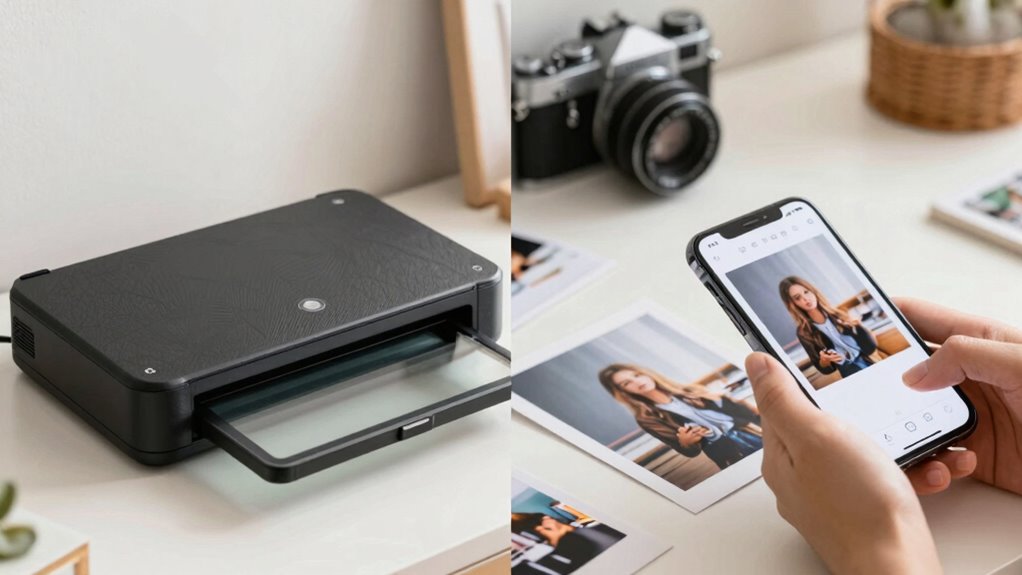
In today’s digital age, you have more options than ever for digitizing photographs—whether you choose dedicated photo scanners or rely on phone scanning apps. Both methods aim to preserve your memories digitally, but they do so in different ways, impacting digital preservation and image quality. When considering which method protects your memories better, it’s important to understand how each handles these factors.
Dedicated photo scanners are designed specifically for digitizing photographs, often providing higher resolution and more precise color accuracy. This means that your images retain their details, sharpness, and vibrancy, making them suitable for large prints or high-quality archives. The process of scanning with a dedicated device ensures consistent results, which is crucial for long-term digital preservation. You can scan multiple photos at once or select specific settings to optimize image quality, minimizing loss of detail or color distortion. While scanners are an investment upfront, they give you confidence that your digital copies will be faithful to the original, reducing the risk of quality degradation over time. Additionally, digital preservation best practices can be more easily implemented with dedicated scanners, ensuring your images are stored in formats that support long-term access. Moreover, dedicated scanners often include features like color calibration, further protecting the authenticity of your images.
Dedicated photo scanners deliver higher resolution and precise color accuracy for long-lasting, high-quality digital archives.
On the other hand, phone scanning apps offer convenience and portability. You can quickly digitize photos anywhere, anytime, just by snapping a picture with your smartphone. Many apps now incorporate advanced algorithms that automatically enhance images, correct lighting, and remove glare, which can improve image quality significantly. However, phone apps may struggle with consistent results, especially with photos that are damaged, poorly lit, or have uneven surfaces. The quality of your smartphone’s camera heavily influences the final image, and even the best app can’t fully compensate for poor lighting or blurry captures. While phone apps are great for quick backups or casual sharing, they might not produce the same level of detail and color accuracy needed for high-quality digital preservation. Additionally, dedicated scanners often come with features like higher resolution options to better protect the original quality of your photos.
Ultimately, if your goal is to safeguard your memories with the highest possible fidelity, dedicated photo scanners are generally the better choice. They ensure superior image quality and more reliable digital preservation. But if convenience and speed are more important, and you’re comfortable with slightly lower quality, phone scanning apps can serve your needs well, especially for casual use. Whichever route you choose, understanding the trade-offs helps you make an informed decision to protect your precious memories effectively.
Products Worth Considering

Philips Hue White and Color Ambiance Smart Light Starter Kit with Bridge and 4 A19 Bulbs

Philips Hue Festavia 65-Foot Smart String Lights, 250 Color-Changing LEDs

Dyson V8 Cyclone Cordless Vacuum
As an affiliate, we earn on qualifying purchases.
Frequently Asked Questions
How Do Scanning Speeds Compare Between Dedicated Scanners and Phone Apps?
Dedicated scanners generally scan faster than phone apps, especially with high image resolution, making them ideal for bulk digitization. Phone apps are convenient and user-friendly but tend to be slower, especially for larger images or high-quality scans. If you prioritize quick results and high resolution, a dedicated scanner offers better speed. However, for casual use and immediate access, phone apps provide user convenience despite slightly slower scanning speeds.
Are Scanned Photos From Phone Apps of Comparable Quality to Dedicated Scanners?
Scanned photos from phone apps can be comparable in quality to dedicated scanners, especially with high digital resolution settings. Many apps now offer photo enhancement features, improving clarity, color accuracy, and detail. However, dedicated scanners generally deliver more consistent results, especially for large batches or delicate originals. If you optimize your phone scans with digital resolution and photo enhancement tools, you can protect your memories effectively, though dedicated scanners still hold an edge for professional quality.
Which Method Offers Better Long-Term Storage Options for Digital Memories?
You should choose dedicated scanners for better long-term storage of digital memories, as they often provide higher digital preservation standards. Studies show that digital files stored on quality media can last up to 100 years with proper care. Phone scanning apps, while convenient, may lack consistent storage longevity and durability. Investing in a dedicated scanner guarantees your memories stay protected and accessible for generations.
How Secure Are Personal Photos When Scanned With Phone Apps Versus Dedicated Scanners?
When you scan personal photos with phone apps, their security depends on the app’s data encryption and privacy policies. Many apps lack strong encryption, making your images vulnerable if the app’s security is weak. Dedicated scanners often offer better security, especially if paired with secure storage solutions. Always check the app’s privacy policies and choose ones that prioritize data encryption to protect your memories from unauthorized access.
Do Photo Scanners or Phone Apps Provide Better Color Accuracy?
Photo scanners usually offer better color accuracy because they use advanced calibration techniques to guarantee color fidelity. You can fine-tune settings for precise results. Phone apps, however, often struggle with inconsistent lighting and lack professional calibration, leading to less accurate colors. For the best preservation of your memories, a dedicated photo scanner is your best bet, as it consistently captures true-to-life colors.
Conclusion
Ultimately, choosing between a photo scanner and a phone scanning app is like picking between a trusted friend and a quick helper. Both can preserve your memories, but a dedicated scanner offers better protection and quality, like a sturdy vault for your precious moments. So, consider what matters most—convenience or care. Whichever you choose, remember that your memories deserve to be protected as carefully as a fragile treasure, shining brightly through time.